Send feedback or ask for help
This page shows you how to tell the Author Tools team what you think, report a problem, or ask for help, from anywhere in Write. You don’t need to leave the page you’re on.
Open the support drawer
On a computer or a large tablet (a window 1024 pixels wide or more), a Feedback tab sits on the right edge of every page. On the book page it’s just below where the Review tab sits. Click it and a drawer slides out.
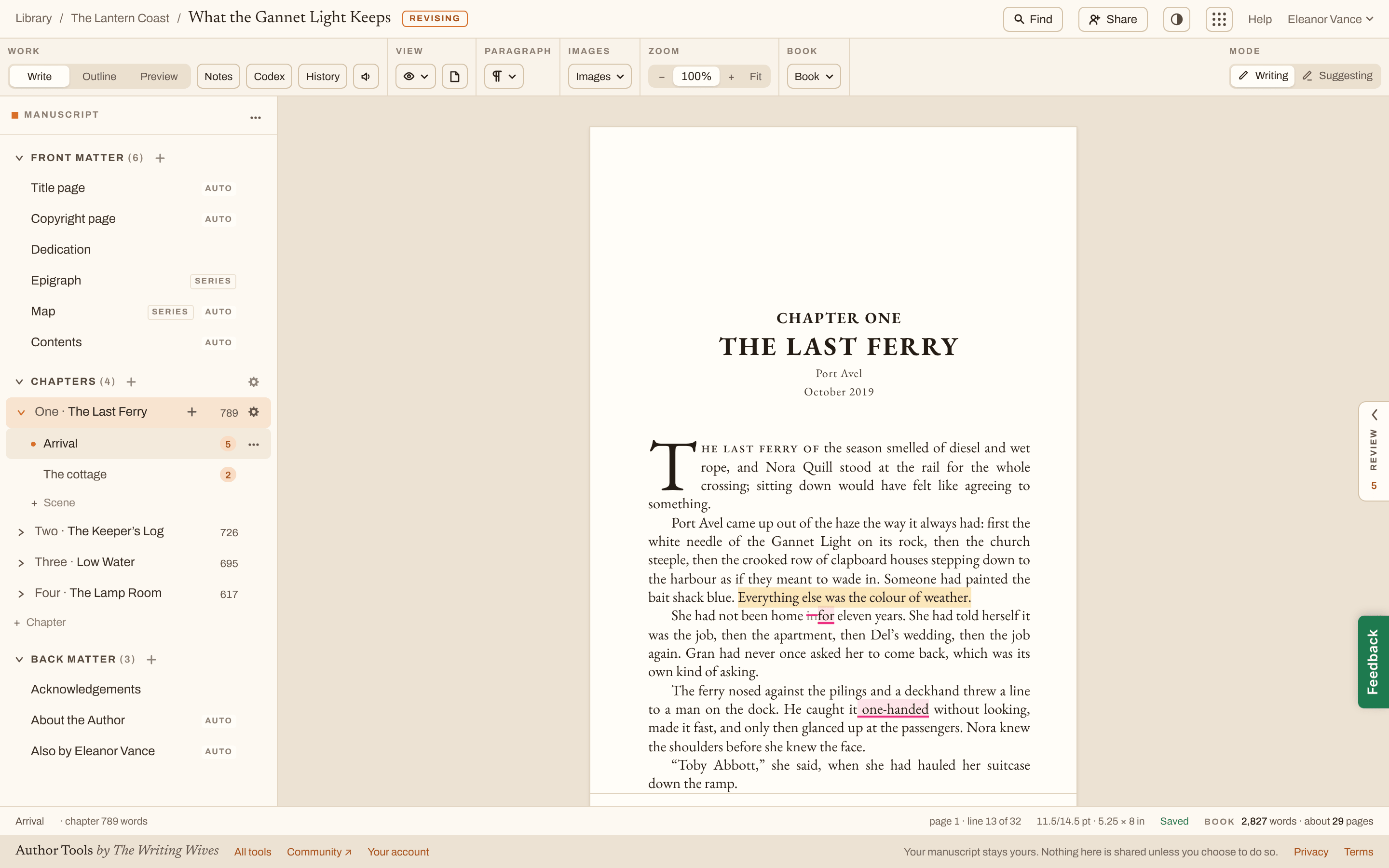 A book open on a desktop, with the Feedback tab on the right edge of the page below the Review tab.
At any width you can open it from a menu instead, and on a narrower window, including a phone, that’s the only way:
- On most pages: click your name at the top right, then Feedback & help.
- On the book page on a phone: tap More, then Feedback & help.
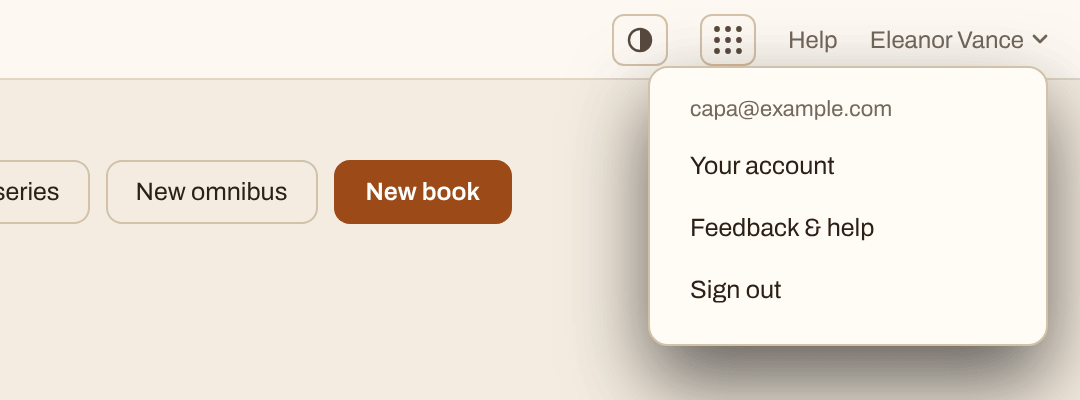 The account menu open from the name at the top right of the Library, showing the email address, Your account, Feedback & help and Sign out.
If the entry isn’t in the menu, the drawer hasn’t finished loading. Reload the page and look again.
Send a message
- Open the drawer.
- Choose whether you’re sending feedback—a thought, or a problem you’ve run into—or asking for help.
- Type your message. The more specific, the better: what you were doing and what you expected.
- If you’re not signed in, enter your email address. When you are signed in, Write already has it, and replies go to your account’s email.
- If a picture would help, attach a screenshot. It can be a PNG, JPEG or WebP file, up to 5 MB.
- Send it.
You’ll then see a ticket number. Keep it if you want to refer to your message later.
What gets sent
- Your message.
- Your email address, or the one your account uses.
- The page you were on: its address without anything after a ?, so we can tell where you were.
- A screenshot, only if you attach one.
The drawer never sends the contents of your manuscript, and it doesn’t take a screenshot for you. Anything that goes along is something you chose to attach.
After you send
Replies come by email. You can also follow your ticket at support.authortools.net. If you sent your message without being signed in, you may first be asked to confirm your email address by clicking a link in an email we send you.
Looking for an answer first?
The Help link in the top bar opens Write’s help site in a new tab. It’s to the right of the Author Tools product switcher and left of your name. The book page on a phone has no top bar, so there you’d go to help.authortools.net in your browser.
Good to know
- Feedback and help are for the Author Tools team, not for the other people on your book. To talk to a co-author or editor, use comments (Review suggestions and comments).
- Your manuscript is never part of a message. If you’d like us to see a passage, paste it into your message or attach a screenshot.
- For using Write on a small screen, see Write on a phone or tablet.