
Headers and page numbers
Along the top of a printed book’s pages runs a header—usually the author’s name on the left-hand page and the title on the right—and at the foot, the page number. This page covers how they look and where the numbering starts. It’s all in the Headers and footers card on the Layout tab of Page setup (Book → Page setup).
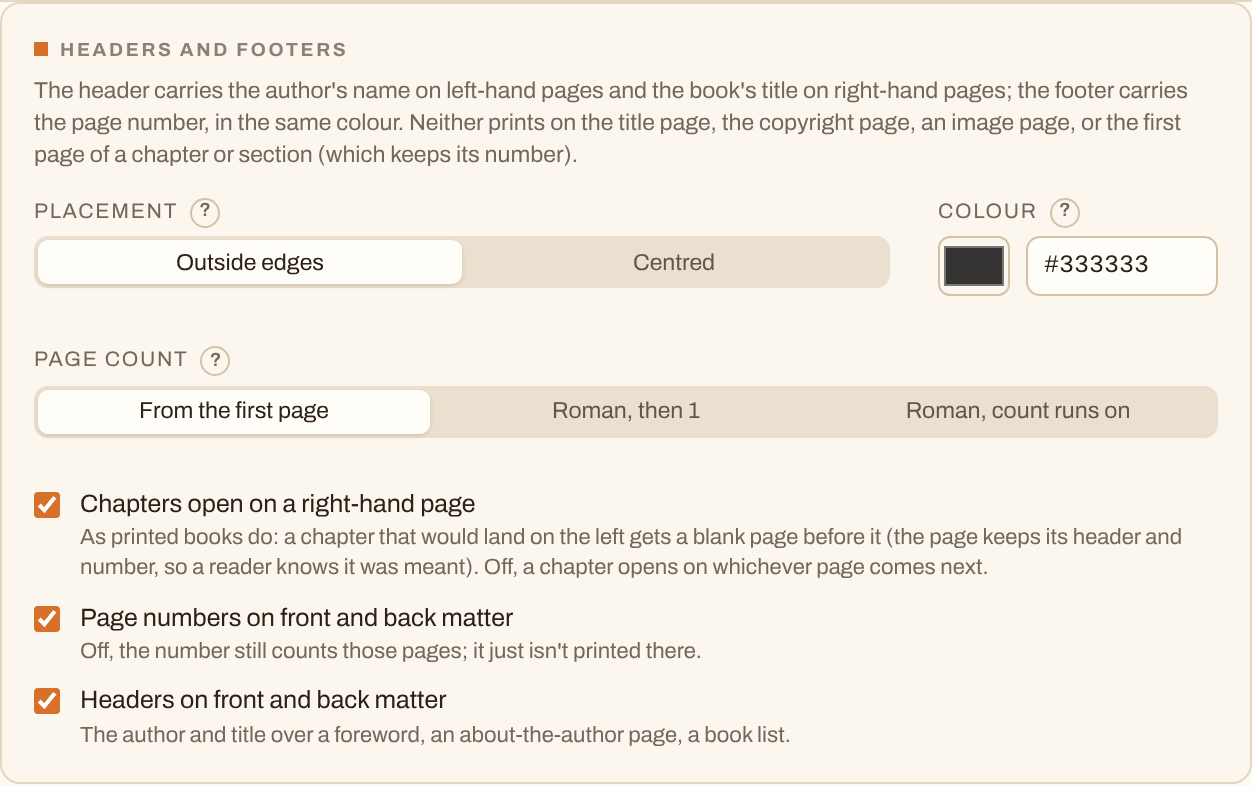 The Headers and footers card, with Placement, Colour and Page count, and the switches below them.
What they say, and where they sit
The header carries your name on left-hand pages and the book’s title on right-hand pages. The page number is centered at the foot of the page. The name is the book’s byline; see Set your byline and publisher (imprints).
- Placement—Outside edges puts the headers at the outer corners of each spread, the traditional look. Centred puts them in the middle of every page.
- Colour—the ink for the headers and page numbers. A dark grey such as #333333 reads as black without competing with the text; plain black is fine too.
Their font is set on the Fonts tab, as Headers and footers; see Choose your fonts.
Pages without them
Headers and page numbers stay off the pages where they’d look out of place: the title page, the copyright page and a page that’s a picture. The first page of each chapter or section drops its header but keeps its page number. A blank page added before a chapter keeps both, so a reader can see it was meant to be there.
For the rest of the front and back matter, two switches decide:
- Page numbers on front and back matter
- Headers on front and back matter
Where the count begins
Page count gives you three choices:
- From the first page—the title page is page 1, and the first chapter is whatever page it lands on. The usual choice in print today.
- Roman, then 1—the front matter is numbered i, ii, iii, and the first chapter starts again at 1. The traditional publishing convention.
- Roman, count runs on—the front matter is numbered i, ii, iii, and the first chapter takes the next number: after xiv comes 15.
Whichever you choose, the back matter carries on from the chapters, and the contents page lists the numbers as they print.
Chapters on right-hand pages
Chapters open on a right-hand page adds a blank left-hand page before any chapter that would otherwise start on the left, the way most novels are made. That blank page keeps its header and page number. Untick it to let each chapter start on the next page, which makes a slightly shorter book.
No comments to display
No comments to display