
Connect the plugin's connectors in Claude
The Meta Ads plugin comes with five connectors: the connections Claude uses to reach Meta Ads for Authors and the tools around it. Installing the plugin lists them, but each one needs connecting once before Claude can use it. Connecting signs Claude in as you, so it sees only your own decks, exports and ad accounts.
If you haven't installed the plugin yet, start with Install the Meta Ads plugin in Claude.
Which connectors you need
You don't have to connect them all today. When you start, Claude's setup chat checks which ones it needs and tells you.
Connect a connector
Each connector takes two clicks of Connect: the first adds it to Claude, and the second signs you in. Here's how it goes for authortools-ads.
- In Claude, click your name in the lower left, choose Settings, then Plugins, and open Writing wives meta ads.
- Click the Connectors tab, then Connect next to authortools-ads.
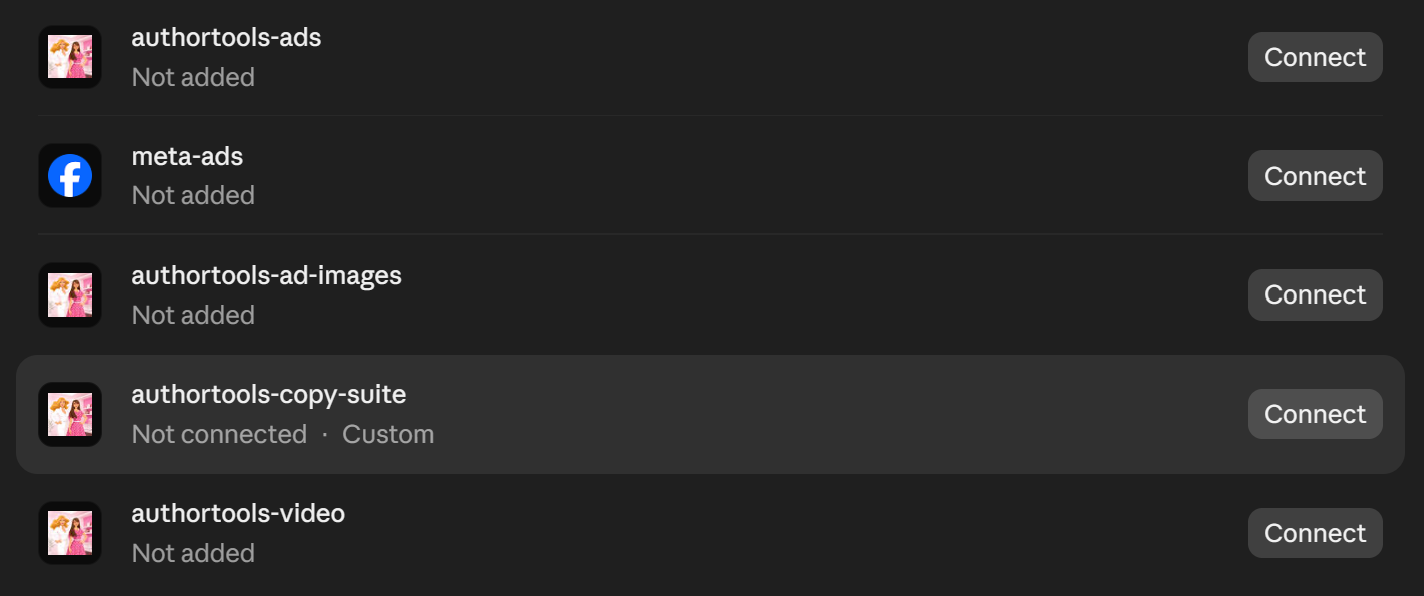 Screenshot: The Writing wives meta ads plugin page in Claude, on the Connectors tab, with a Connect button beside each connector.
- Claude opens Add custom connector with the name and address already filled in. Click Continue.
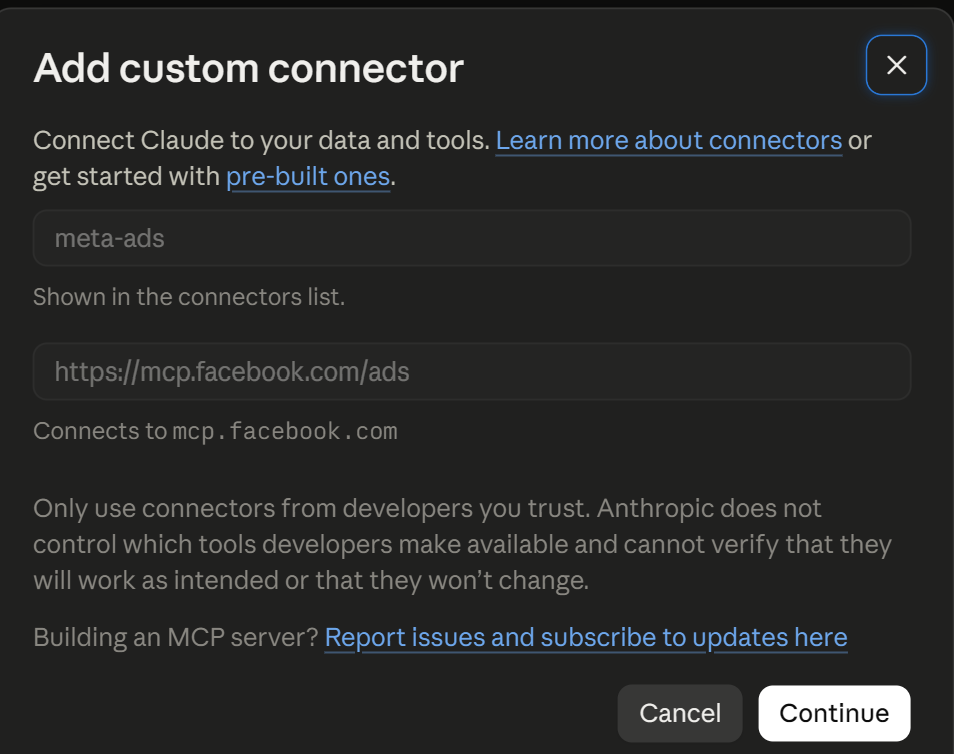 Screenshot: Claude's Add custom connector window with a connector's name and address filled in, and the Continue button.
- The next screen shows the sign-in settings Claude detected. Leave them as they are, scroll to the bottom, and click Add.
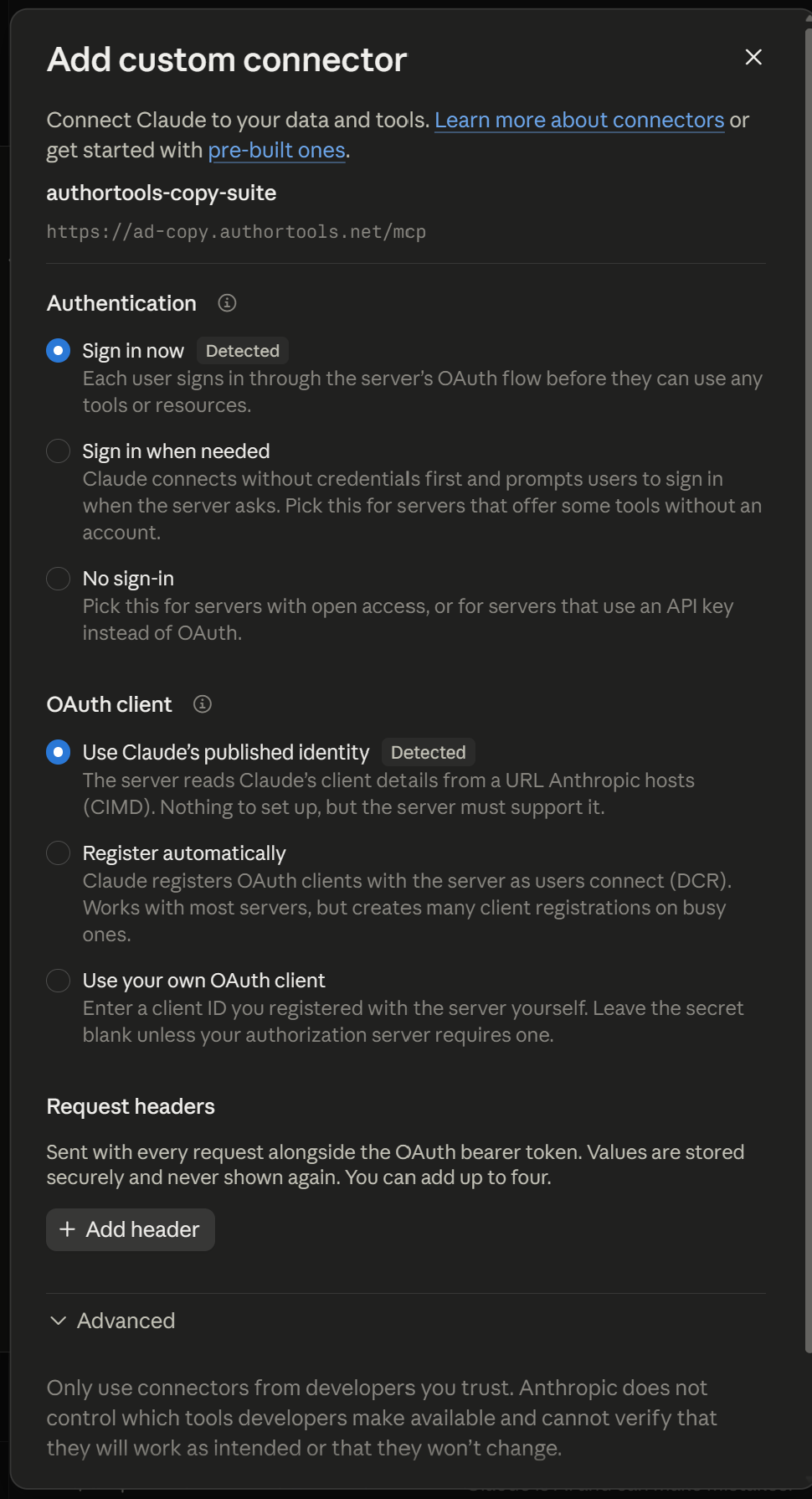 Screenshot: Claude's Add custom connector window showing Sign in now and Use Claude's published identity, both marked Detected, with the Add button at the bottom.
- Back on the Connectors tab, the connector now says Not connected. Click Connect next to it a second time.
- An Author Tools sign-in page opens. Sign in with your Author Tools account, the same one you use at authortools.net. It's not your Claude account.
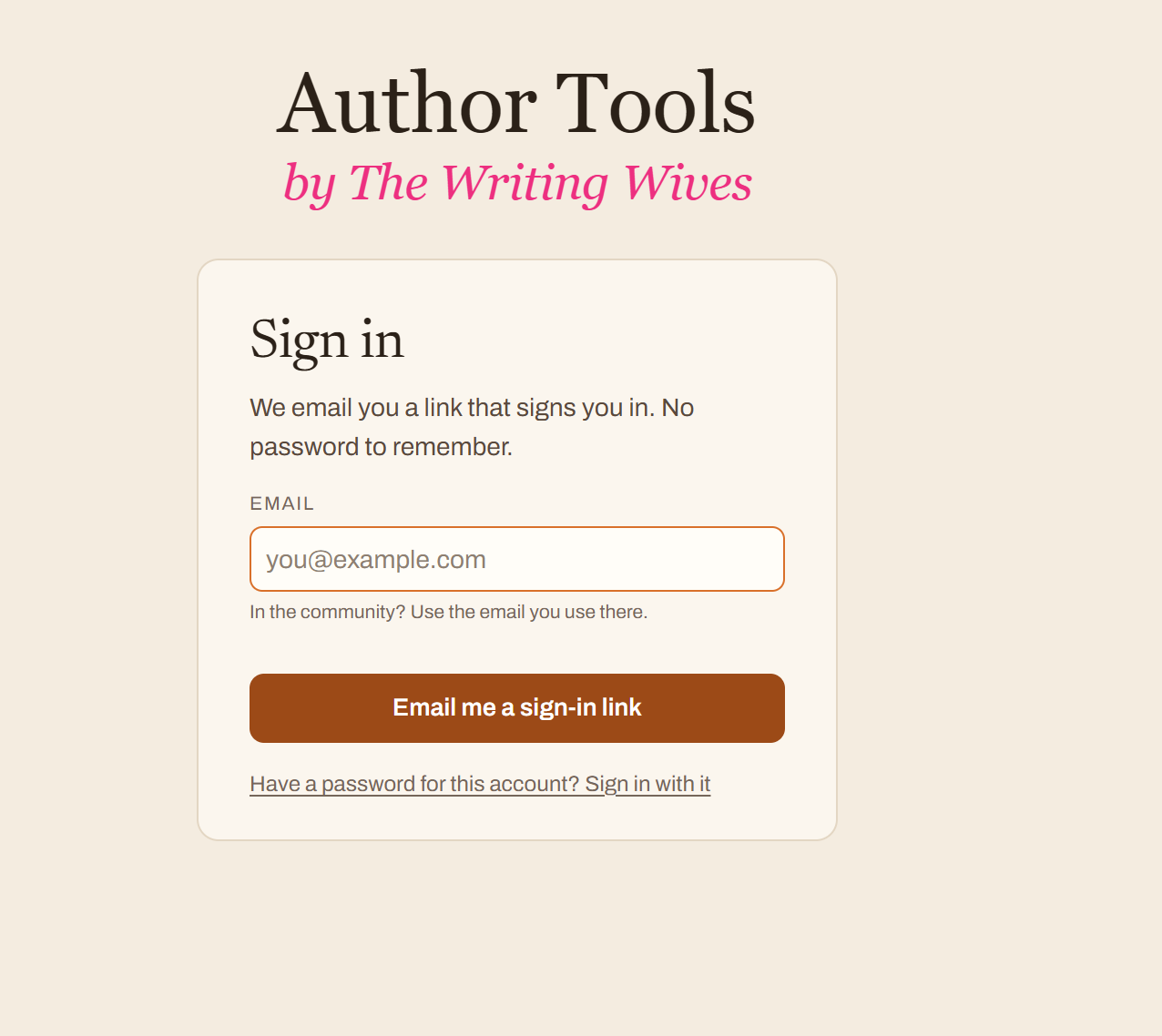 Screenshot: The Author Tools sign-in page that opens from Claude, asking for your email.
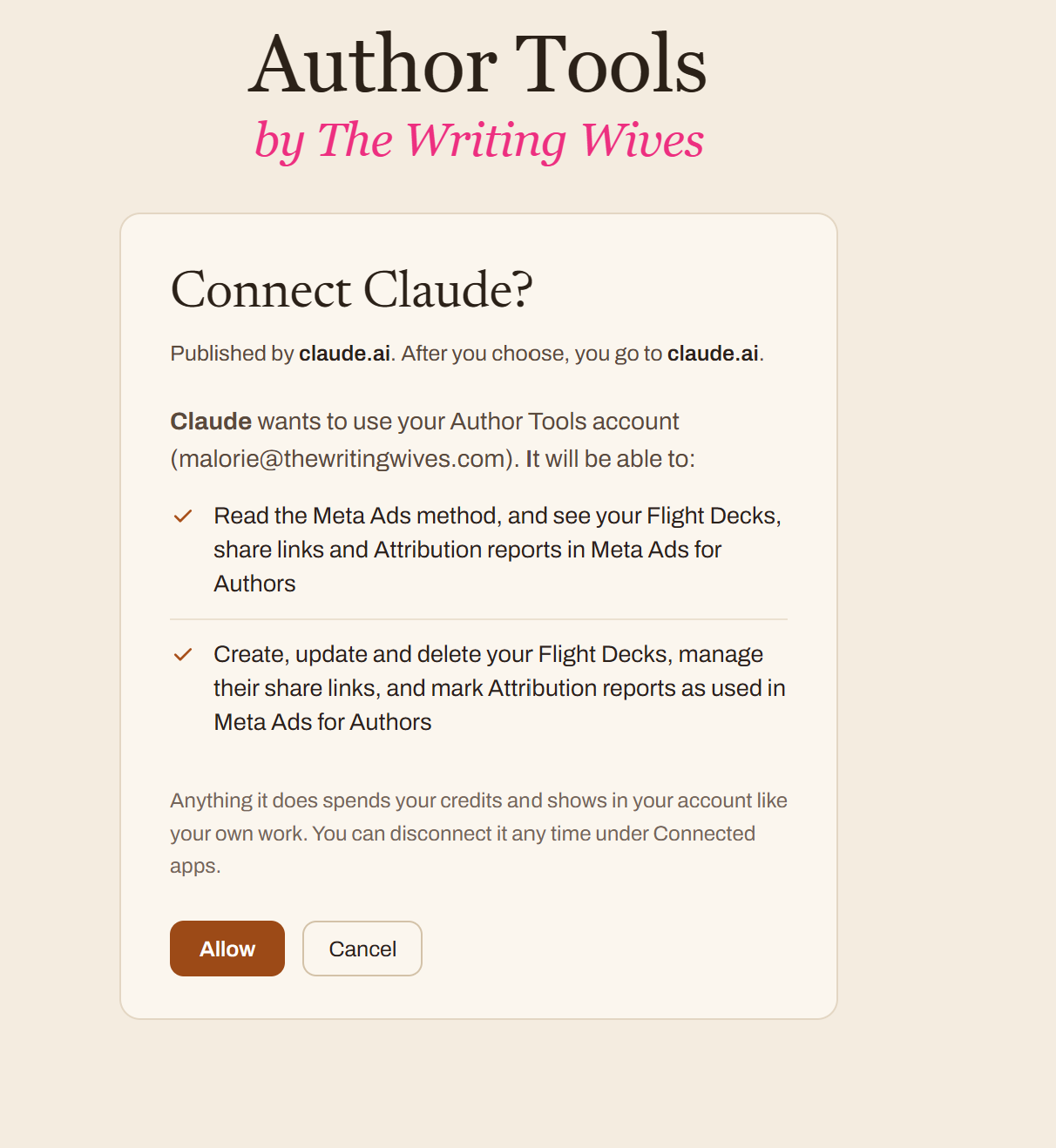 Screenshot: The Author Tools page headed Connect Claude?, listing what Claude will be able to do in Meta Ads for Authors, with the Allow button.
You're taken back to Claude, either to its connectors page or, on claude.ai, to your latest chat. That connector is now connected.
The other connectors follow the same steps. The Author Tools ones sign in with your Author Tools account; meta-ads signs in through Meta, with the Facebook account that runs your ads.
Check that it worked
In Claude, open Settings, then Connectors. Each connected connector shows a tick; any still waiting shows a Connect button. Or open a new chat and ask Can you reach Meta Ads for Authors?
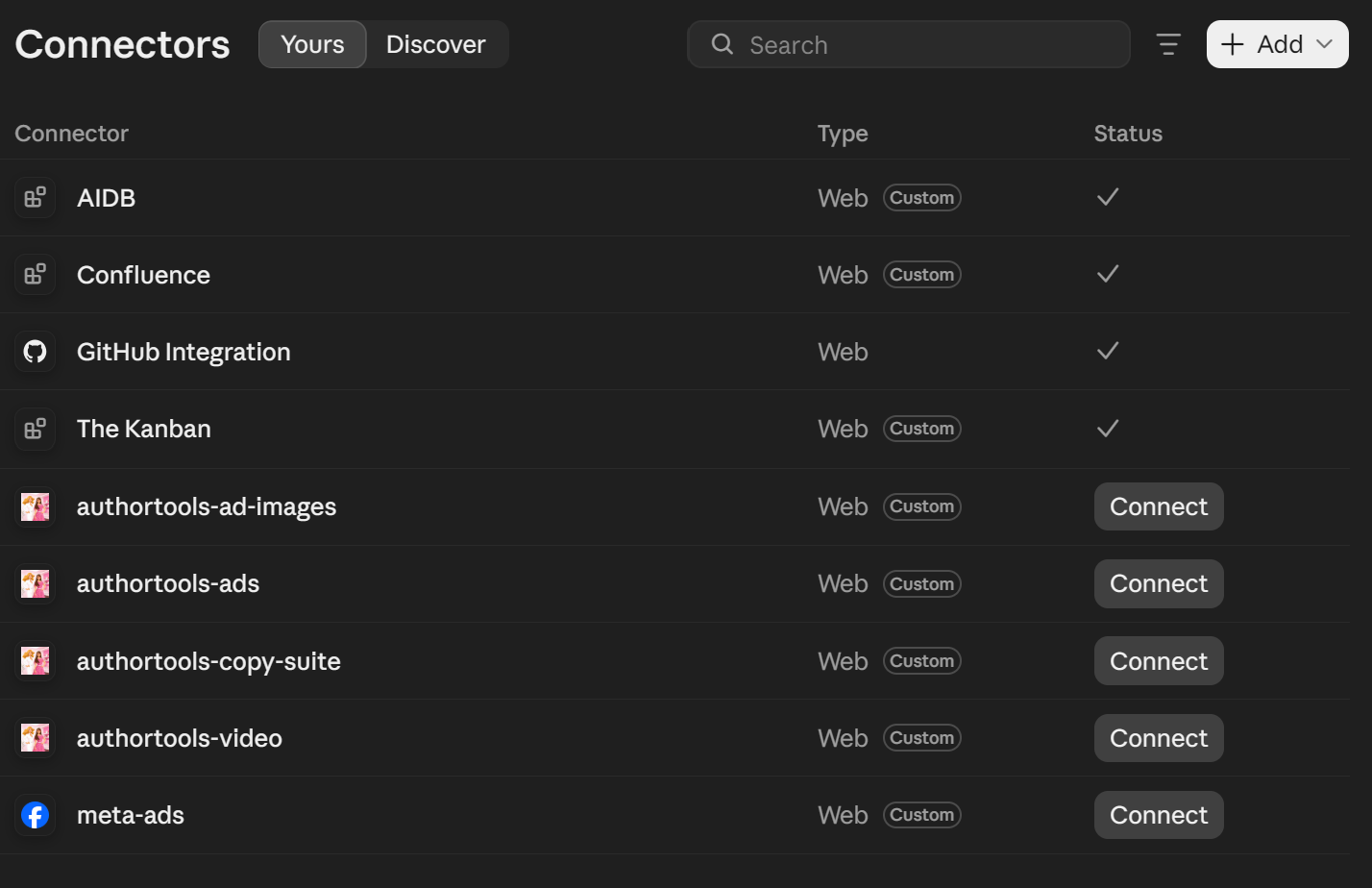 Claude's Settings → Connectors list: connected ones show a tick, and any still waiting show Connect.
If something doesn't work
- A connector doesn't appear under Settings → Connectors. Plugin connectors only show up there after the first Connect on the plugin's Connectors tab. Start from the plugin's page.
- The sign-in page wants a password you don't recognize. It's asking for your Author Tools account, not your Claude account. Sign in with the link Author Tools emails you, or with your password if you've set one on your Profile page.
- Claude says the connector isn't yours, or Meta Ads for Authors is for members. It comes with a Writing Wives membership; if you've just joined, your access can take up to a day to arrive.
- You signed out of Author Tools in your browser and expected Claude to stop. It won't. The connection has its own sign-in, which you can end from your Author Tools account page under Connected apps.