
Install the Meta Ads plugin in ChatGPT
Before you start
- Adding your own plugins and connections is part of ChatGPT's paid plans. On the free plan the Add button described below isn't there, and nothing on our side can change that. On a Business or Enterprise workspace, an administrator may need to switch these on first.
- Meta Ads for Authors comes with a membership in The Writing Wives community. If you're a member, sign in at flightdeck.authortools.net with your Author Tools account to reach your ads home. (It used to be ads.authortools.net, which still takes you there.)
Download the ChatGPT plugin
- Go to your ads home at flightdeck.authortools.net and sign in if it asks.
- In the right-hand column, pick ChatGPT at the top.
- Under 1. Get the plugin, click Download the plugin. A file ending in
-chatgpt.ziplands in your downloads.
There's nothing to unzip. ChatGPT takes the file as it is. The ChatGPT file is different from the Claude one, so use the one from the ChatGPT side.
Add it to ChatGPT
This works the same in the ChatGPT desktop app and on chatgpt.com.
- Click your name in the lower left and choose Settings.
- Choose Plugins, then Browse directory.
- At the top right, click Add, then Upload plugin archive.
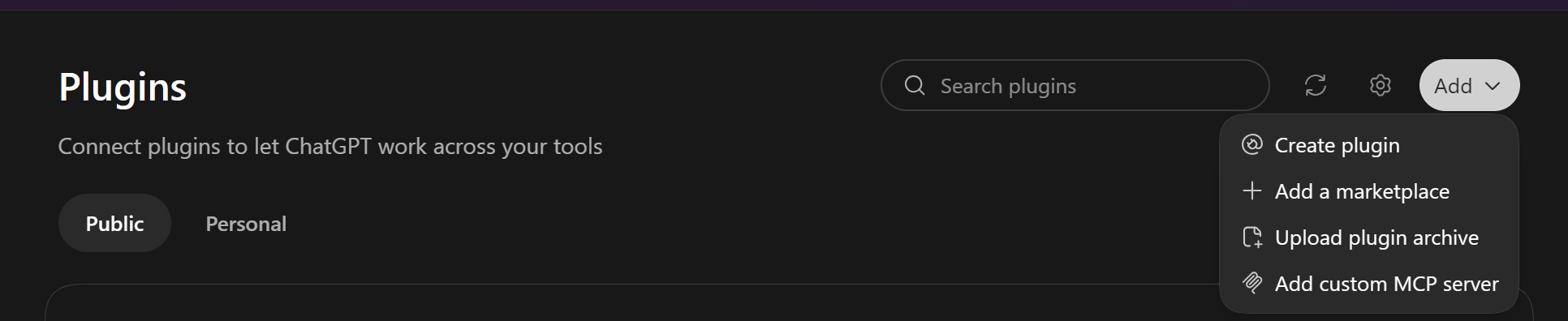 Screenshot: ChatGPT's plugin directory with the Add menu open, showing Upload plugin archive.
- Drop the plugin file into the box, or click Choose file, then click Add plugin.
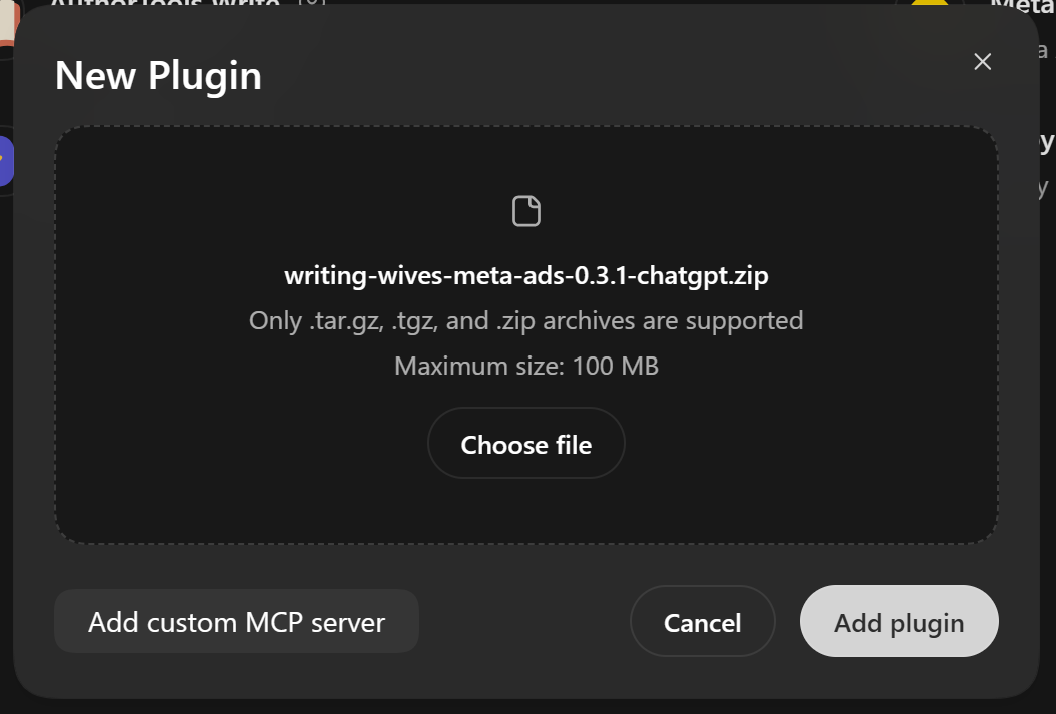 ChatGPT's New Plugin window with the plugin file chosen, ready for Add plugin.
- ChatGPT shows the plugin's page, writing-wives-meta-ads, with its two skills. Click Install plugin.
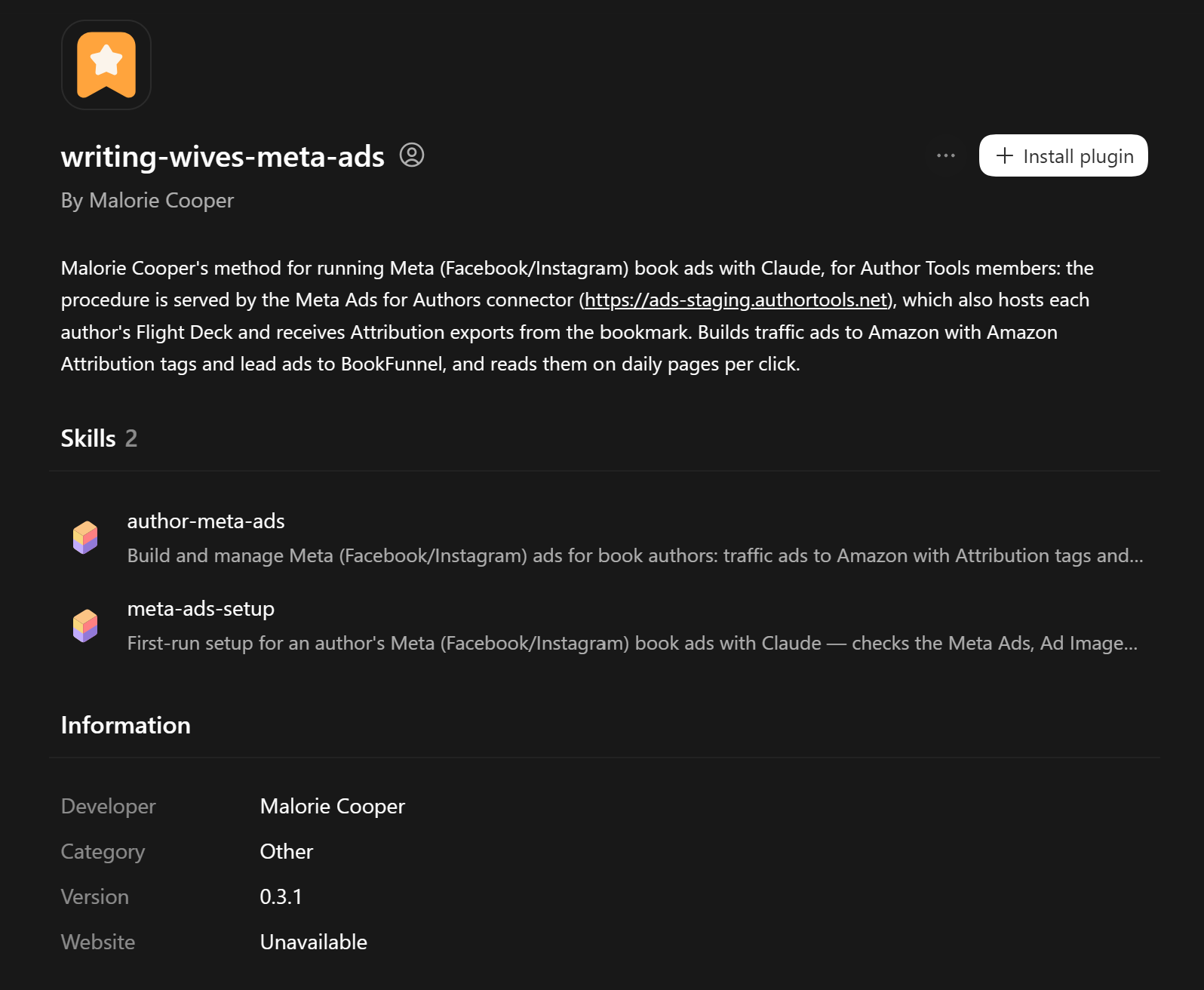 The writing-wives-meta-ads plugin page in ChatGPT, showing its two skills and the Install plugin button.
ChatGPT confirms with writing-wives-meta-ads plugin installed, and the button changes to Manage and Try now.
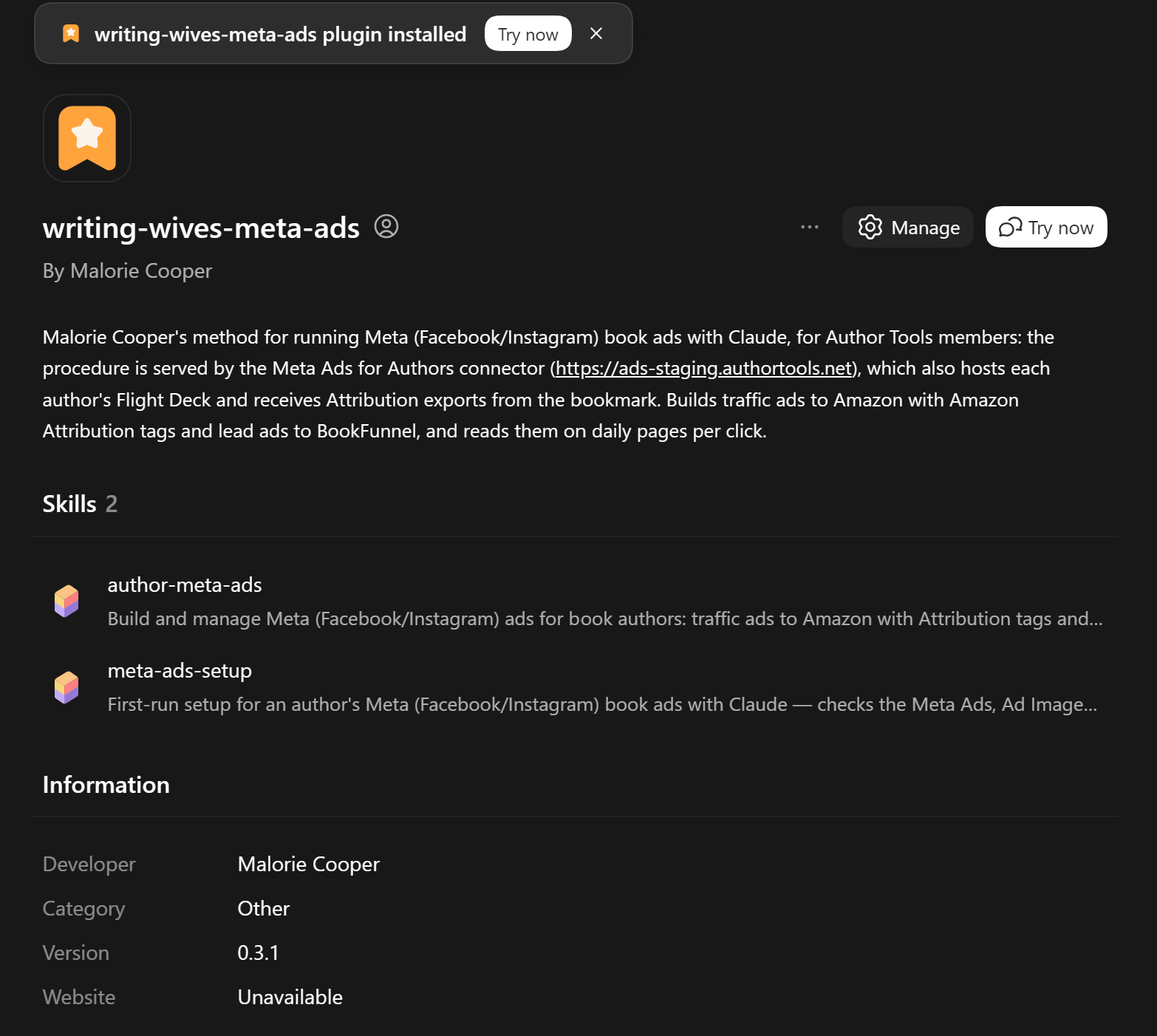 The plugin page after installing, with the "plugin installed" notice and the Manage and Try now buttons.
The plugin carries the method's two skills: author-meta-ads, for building and managing your ads, and meta-ads-setup, for the first-time setup. Unlike Claude, ChatGPT doesn't let a plugin bring its connectors along, so you add those next: Connect the Meta Ads connectors in ChatGPT.
When there's a new version
Your ads home always offers the newest plugin, with its version number under the download button. To update, download the ChatGPT file again and upload it the same way.
If something doesn't work
- There's no Add button. Uploading plugins is part of ChatGPT's paid plans; see Before you start above.
- ChatGPT says "Couldn't add plugin." Make sure you're uploading the ChatGPT file, the one ending in
-chatgpt.zip. The Claude file ends in.plugin, and ChatGPT won't take it. - Your ads home says it's for members. Meta Ads for Authors comes with a Writing Wives membership. If you've just joined, your access can take up to a day to arrive.
No comments to display
No comments to display