
Set your byline and publisher (imprints)
Two lines on a book’s title page come from a setting you can change: the byline (the name under the title) and the publisher (the line at the foot of the page). Together with the copyright year and holder, they’re what Write calls a book’s imprint. This page shows you where to set them, for a whole series or for a single book, and where they print.
Your pen name is the starting point. If you haven’t made one yet, see Add your pen name.
How a byline and publisher are chosen
Write looks for each in this order and uses the first it finds:
- Byline: the book’s own byline, then the series’ byline, then the pen name.
- Publisher: the book’s own publisher, then the series’ publisher. If neither is set, no publisher line prints.
So a series can say what’s normal for all its books, and one book can differ without disturbing the others.
Set the series imprint
- Open any book in the series.
- Choose Book → Details.
- In the Series card, fill in Byline and Publisher.
- Click Save details.
Leave Byline blank to print the pen name. Fill it in only when the printed name should differ—a coauthor named beside you, say (A. Writer and B. Writer). Every book in the series follows, unless it has a byline or publisher of its own.
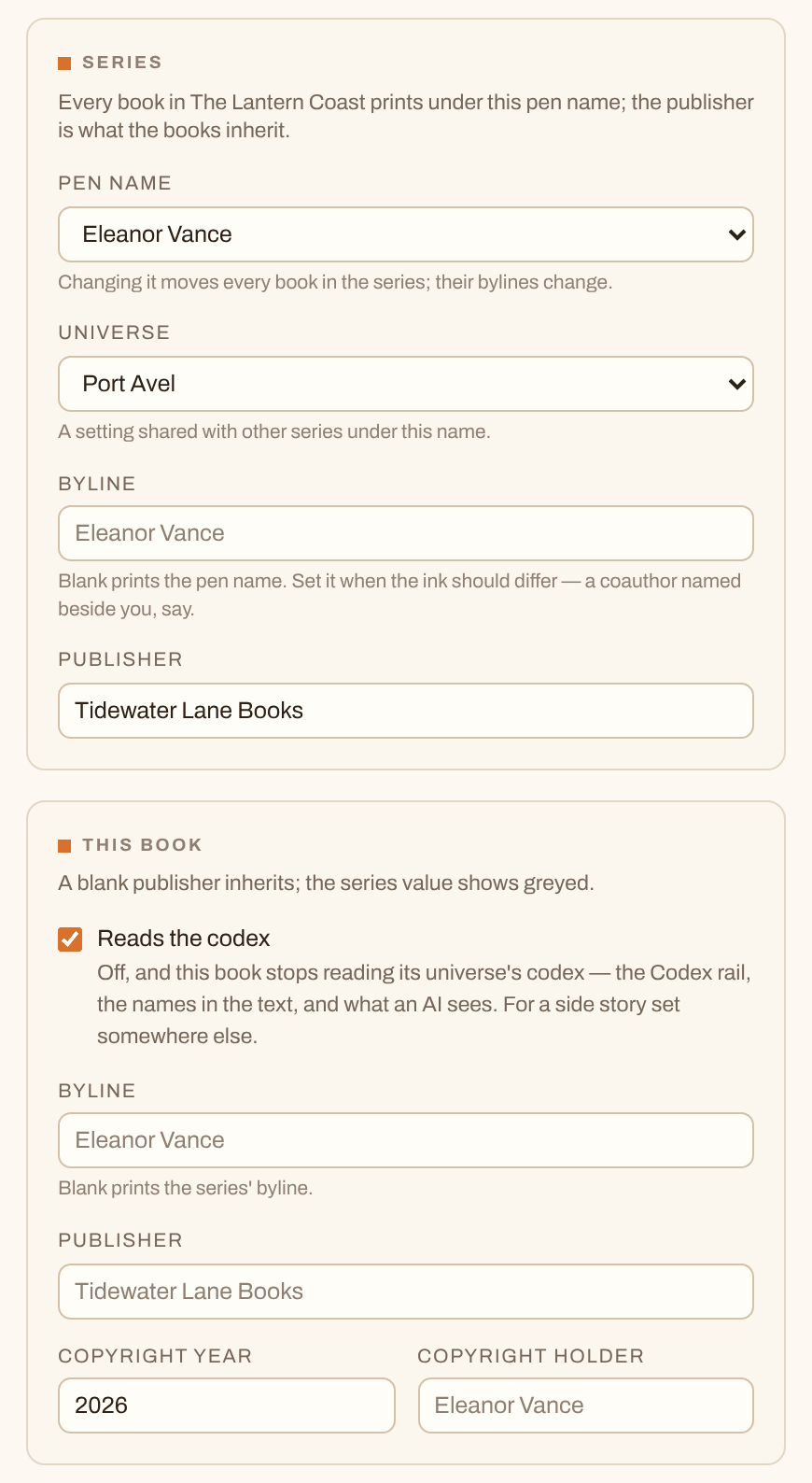 The Book details window for a book in a series, showing the Series card with Pen name, Universe, Byline and Publisher, and the This book card below it with the Publisher box greyed to show the series’ value.
Set one book’s imprint
In the same window, the This book card (or Imprint for a book that isn’t in a series) has Byline, Publisher, Copyright year and Copyright holder. A blank box isn’t empty-handed. In Publisher, Byline and Copyright holder, the greyed text shows what will print: for a publisher it’s the series’ value; for a byline, the series’ byline or the pen name; for the holder, the byline.
Type your own value to override it for this book alone. Clear the box to go back to following the series.
What changes
- Title page. The byline prints beneath the title, subtitle and series line, and the publisher prints at the foot of the page. In print, Page setup has a font for these details; see Choose your fonts. The Title page section also has its own By-line option if you want one title page to read differently.
- Copyright page. The
{author},{holder},{publisher}and{year}fields take their values from here, in the standard wording and in your own pages (see Write your author bio and your own copyright page). - Running heads. The header on left-hand pages shows the byline (see Headers and page numbers).
- The ebook. The EPUB carries the byline as its author, the publisher, and a rights line (“Copyright © 2026 Your Name”).
Publisher is plain text, and the title page has no place for a publisher’s logo. If you want one in the book, put it on a page of its own with an Image page (see Front and back matter).
Change the pen name
- A standalone book: in Book → Details, choose another name under Pen name in the Imprint card.
- A series: choose another name under Pen name in the Series card. Every book in the series moves with it, and their bylines change. You can also do this from the Library’s … menu on the series (Find your way around the Library).
- Renaming a pen name: use Rename on the Pen names page. Every book under it prints the new name, except books or series where you set a byline of your own. Those keep what you typed.
No comments to display
No comments to display